Side Hustles
How I'm Starting an Amazon Affiliate Side Hustle: From Sign-Up to First Commissions
A fun, step-by-step guide to the Amazon Associates & Influencer Programs (Canadian edition), plus how affiliate marketing works, other networks to try, and the success factors I'm copying from top creators.


I’m spinning up a tiny internet vending machine a.k.a. an Amazon affiliate side hustle. This post is the exact playbook I’m using—Canada-specific, current to today—and the handful of creator tips I’m stealing unapologetically.
Amazon’s two flavors: Associates vs. Influencer
- Amazon Associates (Affiliate Program): the classic program for bloggers, YouTubers, and social accounts to earn commissions from tracked “Special Links.” You recommend stuff + someone buys + you earn a cut.
- Amazon Influencer Program: aimed at creators with meaningful social followings. Perks include an Amazon Storefront and eligibility to earn from shoppable videos and livestreams on Amazon.
TL;DR: If you’re just starting a blog/site or YouTube channel, Associates is the default. If you already have steady social traction, also try Influencer.
Step-by-step: Sign up on Amazon.ca and make your first links
Everything below is for Amazon.ca (Canada). Start here: associates.amazon.ca.
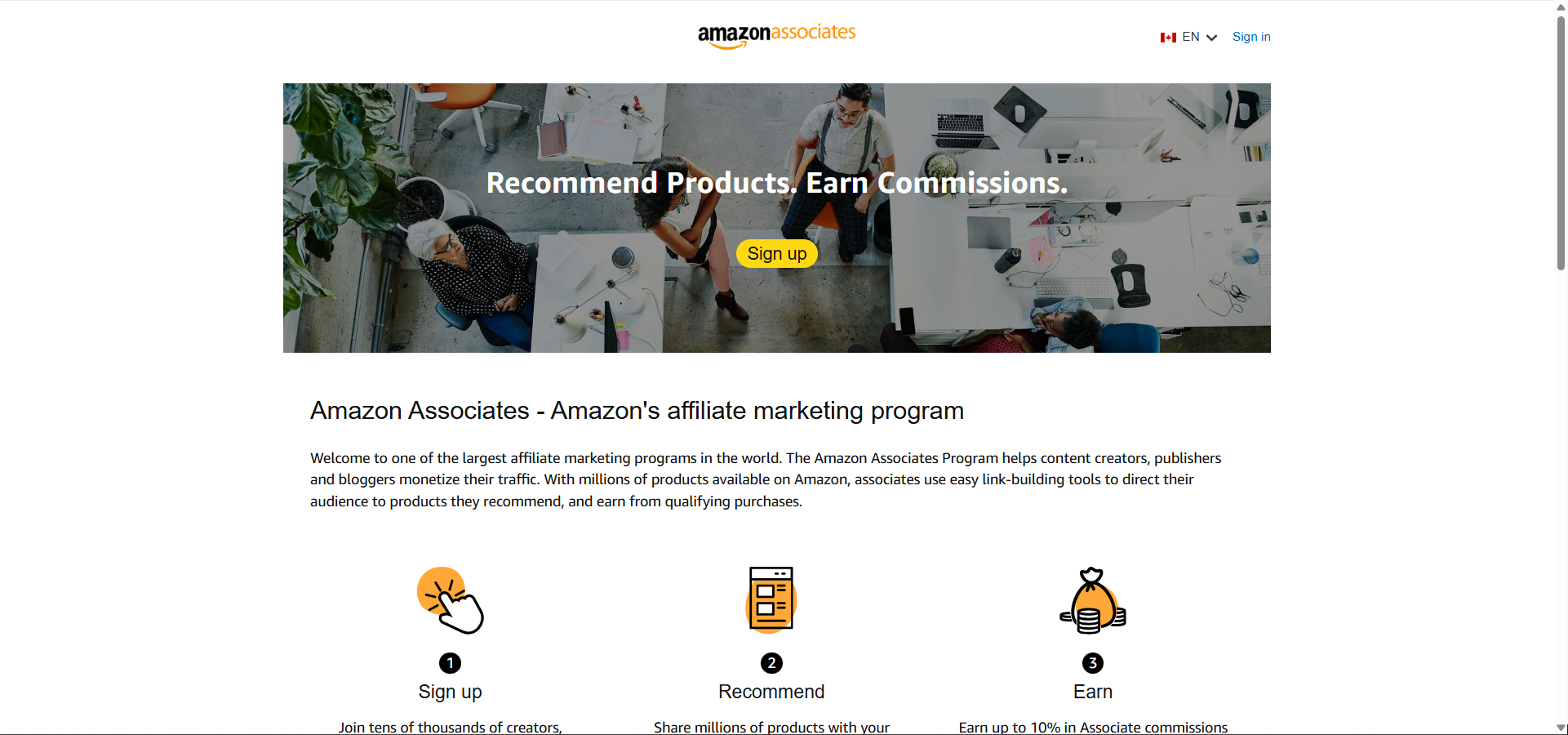
- Create / sign in to your Amazon account
Click Sign up and log in with your normal Amazon account. No fees to join. ![Amazon sign-in form with email and password fields for the Associates program] - Enter account info
Provide your payee name and address, then list the “Sites” where you’ll use links (website, YouTube channel, Instagram/TikTok profile URLs, etc.). Use the real places you’ll post. - Create your Store ID & profile
Pick a short Store ID (shows up in your link tag), choose your content topics, describe how you drive traffic, and complete the quick phone/PIN verification. ![Amazon Associates registration form showing site list and traffic questions] - Tax & payment setup
Add payment (e.g., direct deposit) and complete the tax interview so Amazon can pay you. - Understand the 180-day checkpoint
You need at least 3 qualified sales within 180 days or the application can be closed (you can reapply). Personal orders don’t count. - Make your first affiliate links fast with SiteStripe
Once approved/provisioned, enable SiteStripe (the slim toolbar at the top of Amazon when you’re logged into Associates). Visit any product page and click Text (or Image) to grab your short link. Paste it into your blog/YouTube description/social landing page. - Post with proper disclosures
Use a clear disclosure like: “As an Amazon Associate I earn from qualifying purchases.” For socials, add (paid link) or #ad near each link. Place disclosures where they’re hard to miss. - Know your category rates
Commission rates vary by category and may change. Check the current Commission Income Statement in Associates Central (Canada).
You’re live! Next, focus on products your audience actually cares about and create content that helps them decide.
Affiliate marketing in one minute
Affiliate marketing = recommending products with tracked links and earning a commission on qualifying purchases. You can do this on:
- Your blog/website (guides, comparisons, “best of” lists)
- YouTube (gear lists in descriptions; chapter callouts)
- Email newsletters (confirm your ESP’s rules)
- Pinterest (pins that link to your article with affiliate links)
- Social (IG/TikTok; often via a Link-in-bio or a simple landing page)
Other networks to explore later: CJ (Commission Junction), Awin, ShareASale, Impact, Rakuten Advertising, eBay Partner Network, Walmart Affiliates, ClickBank, PartnerStack.
What the successful tutorials emphasize
I pulled notes from popular, current tutorials—especially Justin Brown (Primal Video), who’s great at breaking this down—plus Amazon’s own docs. The recurring success factors:
- Start narrow, not scattered. Choose 1-2 niches you already talk about.
- Ship helpful content fast. Publish one comparison (“X vs Y for [use-case]”), one “Best [category] under $X,” and one quick setup/FAQ.
- Make linking brain-dead simple. Use SiteStripe, keep links short, and add the disclosure right beside the link.
- Hit the 3-sale checkpoint early. Ask friends to read your content (not to buy for you), share where relevant, and target easily-needed items (e.g., cables, accessories) your audience already intends to buy.
- Optimize, don’t guess. Check your Associates reports weekly; tweak titles, thumbnails, CTAs, and the order of recommendations.
- Stay compliant. Clear disclosures, no cloaking, no incentivizing clicks, and follow platform rules (YouTube, Pinterest, email, etc.).
My minimalist plan for first commissions
- Pick 1-2 topics I already post about (no scattershot spamming).
- Publish three pieces: a comparison, a “best of,” and a setup/FAQ.
- Use SiteStripe short links + link-level disclosure right beside each one.
- Review reports weekly and adjust titles/CTAs and product order.
FAQ (Canada)
- Is it free to join? Yes.
- Do I need a website? A site or an approved social/app where you’ll post links. List the actual places during signup.
- How long is review? You get provisional access; final approval happens after you drive 3 qualified sales within 180 days.
- Where do I see current commission rates? In Associates Central’s Commission Income Statement (Canada).
Wrap-up (and my tiny experiment)
I just kicked this off and I’m treating it like a fun micro-project: build a few useful guides, keep it tidy with disclosures, and see if it buys my coffee habit. If you want to support the journey, I’ll drop an ad block with a few of my Amazon picks below. Click through if anything looks helpful—and yes, they’re affiliate links.
Cheers!
My Amazon Picks
As an Amazon Associate I earn from qualifying purchases.
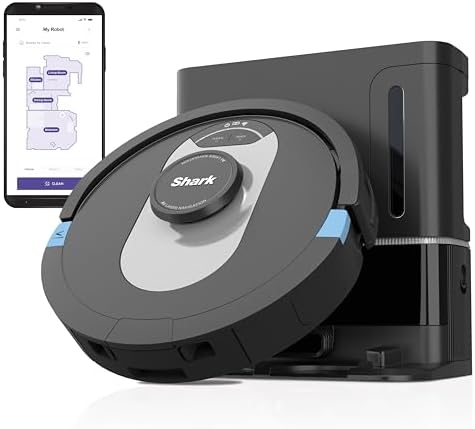
Shark AI Ultra Robot Vacuum
Matrix Clean charts every room, grabs the mess, then offloads dust into a 60-day HEPA self-empty base.
- Hands-free scheduling and voice/app control with precise home mapping.
- Anti-allergen filtration traps pet dander while the self-empty dock handles the bin.
Join the discussion
Thoughts, critiques, and curiosities are all welcome.