AI
MineContext by ByteDance: A tiny desktop that remembers everything for you
What MineContext is, real-world use cases, why it could change knowledge work—and why it might be a secret weapon for ADHD brains
If you’ve ever closed 27 tabs and immediately forgotten what problem you were solving, MineContext is the “external brain” you wish you had. It’s a proactive, context-aware desktop agent from ByteDance’s Volcengine team that quietly captures your on-screen work (screenshots + text understanding), organizes it, and then pushes you summaries, to-dos, prompts, and resurfaced references when they’re actually useful. Think “Spotlight search + personal historian + gentle project manager.”
What MineContext is (in one breath)
An open-source, local-first app (currently with a Mac download) that records your digital activity via screen monitoring, runs a processing pipeline (chunking, entity extraction, dedupe, embeddings), stores it in a local DB (SQLite/Chroma), and lets an LLM/VLM answer questions or proactively generate daily/weekly briefings, to-dos, and writing prompts from your real context. You bring your own API key (OpenAI or ByteDance’s Doubao, with Ollama planned).
Why that matters
- Local-first privacy. Your captured context stays on device by design. For anything “lifeloggy,” that’s huge.
- Proactive, not just reactive. It doesn’t wait for your perfect prompt; it nudges you with summaries and next steps.
- Built like a platform. There’s a modular backend (FastAPI + managers for capture/processing/consumption) and a roadmap of context sources (files, MCP-enabled apps like Notion/Jira/Figma, RSS, email, even wearables).
How it works under the hood (nerd-friendly)
Capture → Process → Store → Resurface/Generate
- Capture: Periodic screenshots + (soon) files, links, meeting notes, browser extensions, MCP app data.
- Process: Chunking, entity extraction/normalization, multi-modal understanding, and embedding.
- Store: Local vector + relational storage (SQLite/Chroma) for fast similarity search.
- Consume:
- Q&A over your day (“find that plot I made at 2:14 pm”).
- Proactive daily/weekly summaries, to-do suggestions, and “you were working on…” nudges.
Today, the GUI download is for macOS; the backend is cross-plat Python (so Windows/Linux hackers can run services), but the polished desktop app target is Mac right now.
Concrete use cases I’m excited about
1) Writing & research (a.k.a. my life)
- Auto-build a literature trail: papers, highlights, code snippets, screenshots of plots—then ask, “pull the three charts I used to argue X.”
- Draft posts from your actual working context instead of a blank page.
2) Project management without project managing
- It recognizes you bounced between a Jira ticket, a Figma spec, and a PR, then proposes a bullet update and a next-step checklist.
- Weekly digest you can paste into a stand-up doc, no spelunking required.
3) Meeting memory
- Capture slides and chat windows across calls; generate action items and a recap tied to screens you actually saw. (Roadmap includes meeting notes + MCP).
4) “Where did I see that?” recovery
- Query by visual memory: “find the blue chart with CN0 on the y-axis I looked at after lunch.” The combo of screenshots + embeddings shines here.
How this could change the way we work
From “pull” to “push.” Most tools wait for your query. MineContext flips it: your workspace is passively indexed, and the system brings back relevant fragments when you resume a task. It’s the difference between rummaging and being handed the right tray.
From apps to contexts. The unit of work stops being “a file in App X.” It becomes a living context spanning docs, screenshots, chats, and tasks—resurfaced at the right time. That aligns with the wider shift toward agentic workflows where long-context models and MCP-style connectors orchestrate across tools.
From knowledge hoarding to knowledge circulation. Daily summaries + nudges reduce decay. Less “what was I doing?” and more “pick up where you left off.”
The ADHD angle: externalizing executive function
ADHD often challenges working memory, time management, and task switching—the executive-function layer that coordinates everything. External aids and structured cues measurably help.
Here’s how MineContext can help, practically:
- Automatic thought capture. No friction to “brain-dump.” Screens become recallable context; you ask later, “what did I do in that 45-minute hyperfocus sprint?”
- Context-aware nudges. Proactive to-dos and summaries create the external cues ADHD brains benefit from—timely prompts that reduce decision fatigue.
- Reduce context switching tax. When you must switch, the agent preserves state and reconstructs it later—less re-onboarding each time.
- Ritualize progress with weekly retros. Scheduled digests provide a body-double-ish accountability effect (“here’s what you shipped”), which the ADHD community often finds motivating.
Tip-sheet for ADHD-friendly setup (my picks):
- Short capture interval (e.g., 5–10s) for finer recall without manual notes.
- Daily + weekly briefs turned on; pipe the output into your task app.
- Create a “Restart Me” prompt the agent pins whenever you reopen a project: “Yesterday you touched A/B/C; next best action is D.”
- Pair it with a lightweight body-doubling session (Focusmate/FlowClub, or even a friend on video). Start the timer; let MineContext prep your kickoff checklist.
Privacy, ethics, and the “always watching” feeling
Lifelogging raises real privacy questions. MineContext’s local-first posture is a strong start, but you should still:
- Define capture areas (not the whole screen).
- Exclude personal windows (banking, 2FA).
- Periodically purge + encrypt backups.
The broader HCI literature flags privacy trade-offs in visual lifelogging; design your setup with that in mind.
Limitations today
- Mac-first experience. Windows/Linux require tinkering with the backend; polished desktop builds aren’t the primary path (yet).
- APIs & models. You’ll need your own LLM key (OpenAI/Doubao). Local models are on the roadmap, but quality/cost trade-offs apply.
- Over-capture temptation. More data ≠ more clarity. Curate sources, or you’ll drown in screenshots. (Ask me how I know.)
Getting started (what I did)
- Grab the Mac app from the repo’s release page.
- Run the quarantine command the README suggests (macOS thing).
- Drop in your API key.
- Turn on Screen Monitor, pick a capture region, and… forget about it for a day. Let the agent surprise you with its first daily brief.
Bottom line
MineContext makes a persuasive case that the future of work isn’t five more apps—it’s a thin, local layer that continuously understands your context and helps you resume, recall, and ship. If your brain runs a little spicy (mine does), those timely nudges and “here’s-what-you-were-doing” breadcrumbs feel less like surveillance and more like kind structure.
My Amazon Picks
As an Amazon Associate I earn from qualifying purchases.
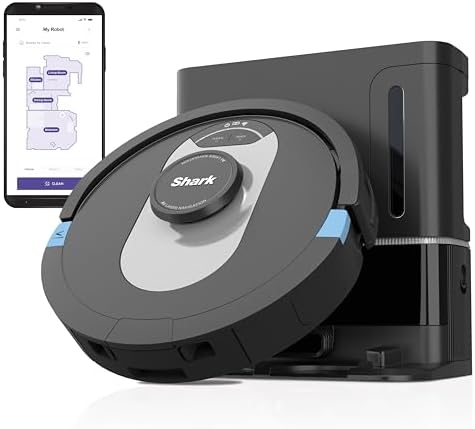
Shark AI Ultra Robot Vacuum
Matrix Clean charts every room, grabs the mess, then offloads dust into a 60-day HEPA self-empty base.
- Hands-free scheduling and voice/app control with precise home mapping.
- Anti-allergen filtration traps pet dander while the self-empty dock handles the bin.
Join the discussion
Thoughts, critiques, and curiosities are all welcome.